All your reports on one page
Reports in the top menu now opens one page with every report, each with a short line on what it shows.
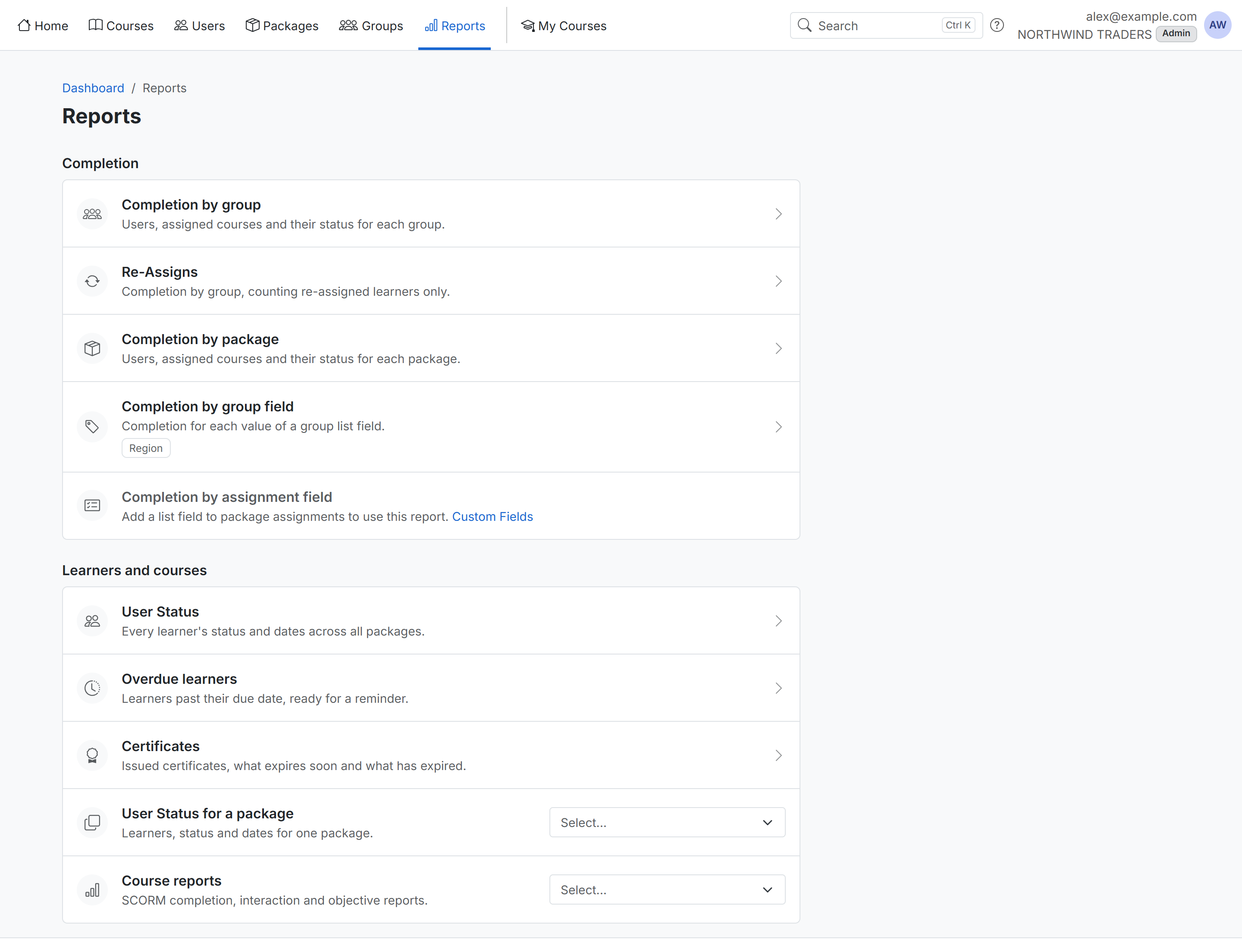
Completion compares completion across your organization:
- Completion by group and Completion by package: users, assigned courses and their status for each group or package.
- Re-Assigns: completion by group, counting only re-assigned learners.
- Completion by group field and Completion by assignment field: one row per value of a list custom field, such as a region or department.
Learners and courses opens User Status, Overdue learners, Certificates, the User Status of one package, and Course reports. The package and course lists are searchable: type part of a name to find it.
Who sees it: administrators, and group admins for the groups they manage.