Send reminders when you choose
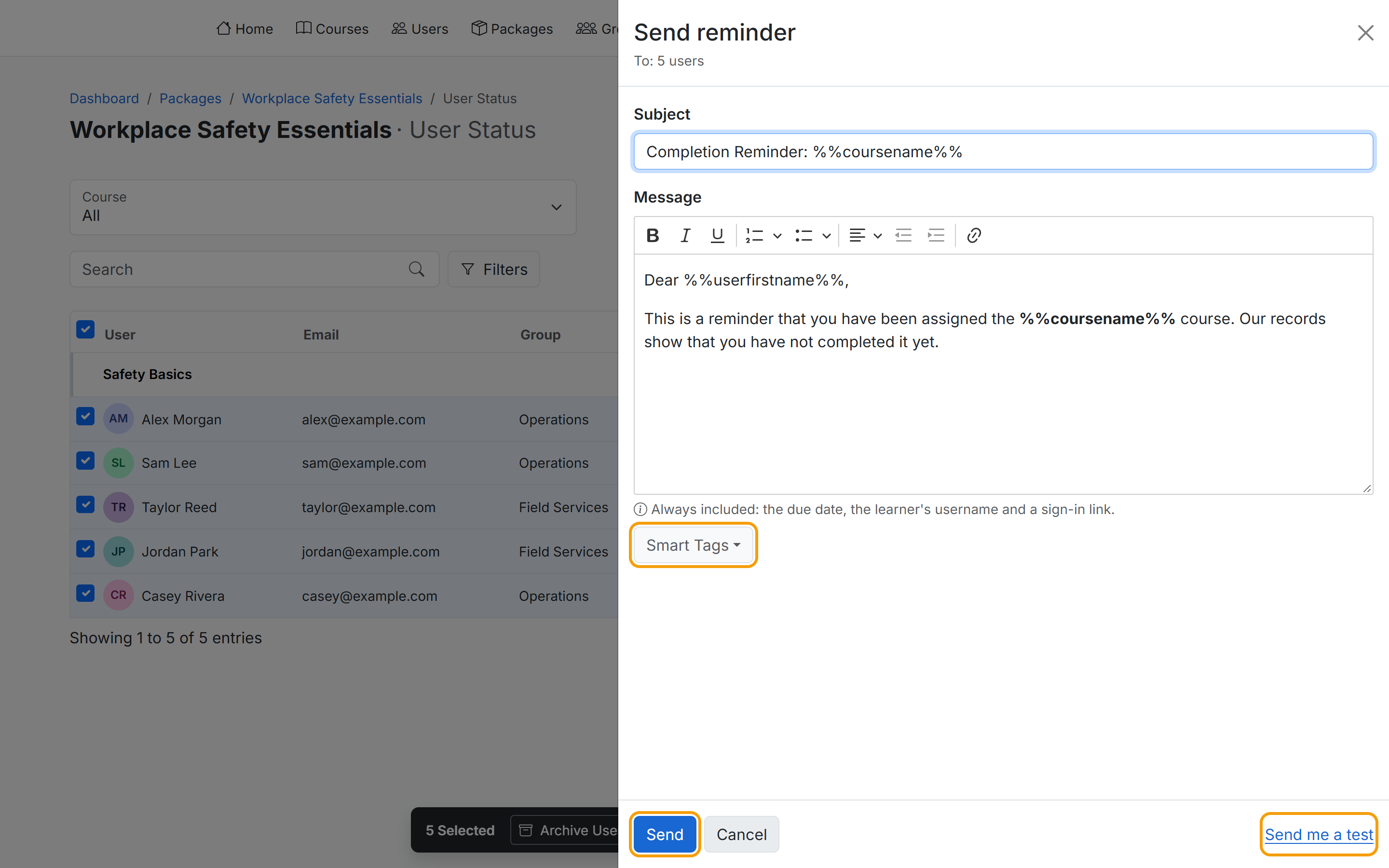
You can now remind learners who haven't finished a package whenever you choose, without waiting for the automatic reminder. Select them in User Status, or click the envelope icon on the dashboard, and send the standard reminder in each learner's language, or write your own.
What you can do
- Send a reminder to one learner, to the learners you tick, or to everyone in the list with Select all.
- Send the standard reminder, translated for each learner, or change its text, with Smart Tags for each learner's details.
- Click Send me a test to see the email the first selected learner gets.
- Open Reminder history on a row to see every reminder the learner got for the package, from an admin or automatic.
- The reminder includes the learner's username and a sign-in link, so it also helps learners who lost their invitation.
Learners who completed the package, or got a reminder from an admin in the last 24 hours, are skipped.
Where to find it: Send reminder in the User Status action bar and row menu, and in the row menu of a package's Users tab. On the dashboard, the envelope icon next to Newly overdue and Due in the next 7 days.
Who sees it: administrators, and group admins for the groups they manage.